Illustrators
Develop a mascot through portraits, action poses, seasonal outfits, and supporting scenes.
A stronger visual system for books, posters, social posts, or a small illustrated series.
ideogram promptsCharacter control
ideogram character helps you guide a recognizable subject through new scenes, outfits, expressions, and compositions. Start with a clear reference and refine the details that must stay consistent.
Practical uses
A repeatable subject is useful whenever the same identity needs to appear across several creative decisions. These examples show where the workflow is most helpful.
Develop a mascot through portraits, action poses, seasonal outfits, and supporting scenes.
A stronger visual system for books, posters, social posts, or a small illustrated series.
ideogram promptsExplore a campaign character in product settings, event graphics, and different emotional tones.
More consistent concept directions before a final art direction is selected.
ideogram generatorTest a protagonist across environments, costumes, camera angles, and moments in a narrative.
Faster visual exploration while the character’s defining traits remain visible.
ideogram text renderingBuild a recognizable on-screen persona for thumbnails, explainers, short comics, or recurring posts.
A more coherent library of visuals without redrawing every idea from the beginning.
ideogram promptsWorkflow
Treat the first image as a design brief, not a finished result. Each pass should preserve the identity while changing only the scene elements you want to explore.
Describe the face, hair, clothing, age range, proportions, colors, and signature accessories. Choose a few traits that must remain stable in every version.
Add one clear change at a time, such as a pose, location, lens, outfit, season, or lighting direction. Specific scene instructions make comparisons easier.
Compare the result with the reference, identify the trait that drifted, and revise that detail directly instead of rewriting the entire prompt.
Honest caveats
Character consistency is a guided creative process, not a guarantee that every image will match perfectly. Expect to review important outputs and keep a small set of references.
Eye shape, freckles, glasses, or subtle proportions may change when the pose, lighting, or camera angle changes substantially.
Workaround
Repeat the defining details in the prompt and compare each new image against the strongest reference.
Hands, overlapping limbs, extreme perspective, and crowded action scenes can make a familiar character harder to recognize.
Workaround
Start with a simpler composition, then add movement or secondary subjects after the identity is stable.
A character can keep its general style while losing a precise pattern, logo, fastening, or accessory between generations.
Workaround
Describe the garment in plain language and treat exact wardrobe details as elements to inspect and correct.
Generated images are useful for exploration, but they are not a production-ready model sheet with guaranteed front, side, and rear views.
Workaround
Collect approved views and write down the visual rules that should guide later artwork.
Visual comparison
The goal is not to duplicate one frame. It is to carry the recognizable traits into a fresh composition while allowing the environment and action to change.
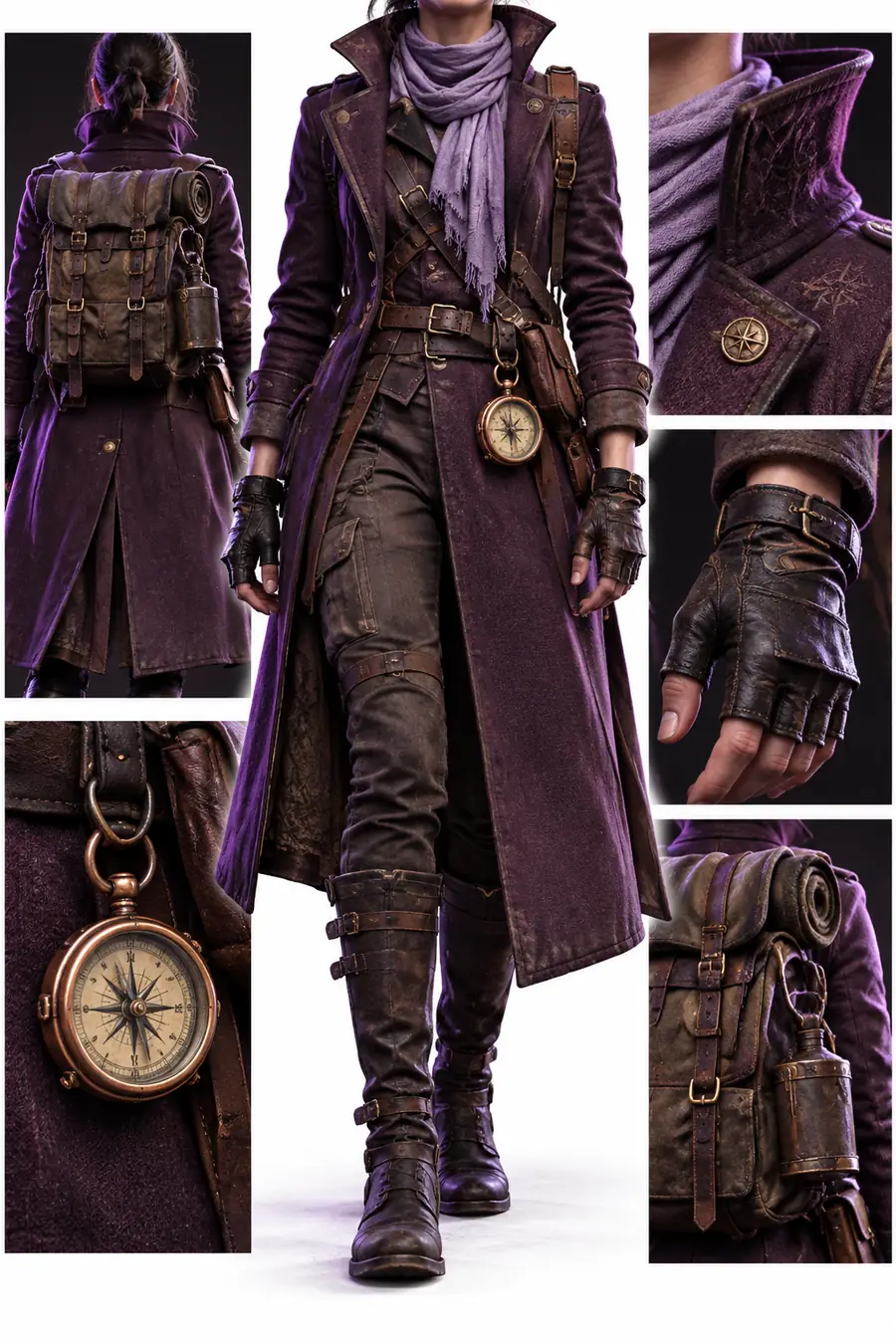 Reference identity
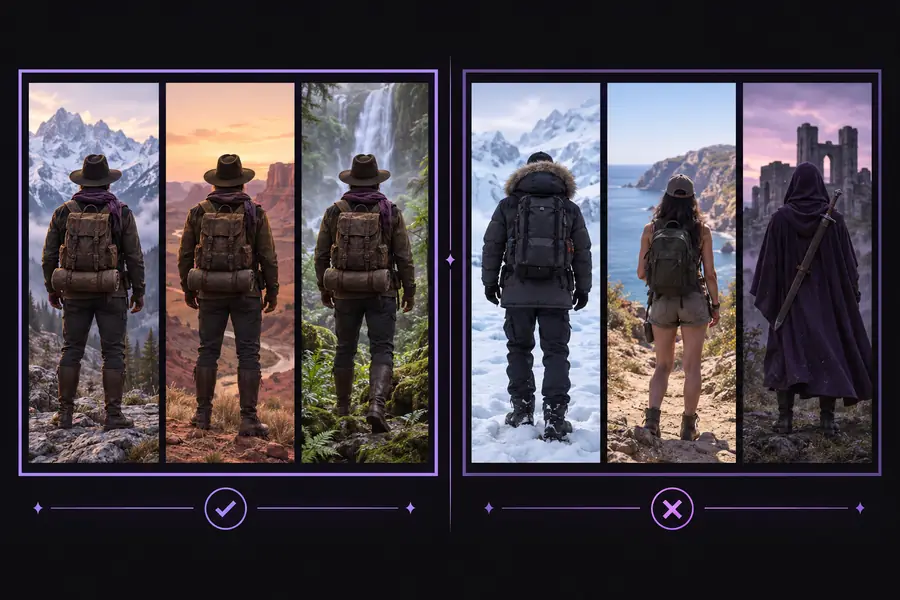 New scene direction
At a glance
Use these checkpoints to keep experiments focused and make it easier to spot where a result needs another pass.
Common questions
It is used to explore a recognizable subject across multiple images, including different poses, outfits, environments, and moods. It can support character concepts, mascots, story development, campaign ideas, and recurring visual content.
Not always. Generated images can vary in facial details, clothing patterns, proportions, hands, and accessories, especially when the scene or viewpoint changes significantly. Use a strong reference and review important results rather than assuming exact continuity.
Begin with stable traits such as hair, face shape, clothing silhouette, color palette, age range, and one or two signature accessories. Then describe the new pose or setting separately so the identity details are not buried inside a long scene description.
It can help you explore reference views and variations, but it should not be treated as a guaranteed production character sheet. For dependable continuity, select approved images and document the traits, proportions, and wardrobe rules you want to preserve.